



Technical Services

Development Service
ODM Software
Application Platform
Validation/Certificate
Hyperware Solution
OOB Subsystem
Proprietary Controller
System Integration
Design Planning
Application Analysis
Requirement Identification
Technical Evaluation
Solution Aspects
Board Bring Up
Kernel & Device Driver
Firmware
Platform SDK
Platform
Teal green quarter circle shape on a white background.
AtlaXtron™
NEXDiag
NCS Switch Utility Suit​e
OpenBMC​
Application
Green quarter circle shape on a white background.
Automation​
Validation
SSDLC​
SBOM​
Engineering
Half circle shape in muted mint green color on white background.
Customer Support​
POC Evaluation​
Network Benchmark
Performance Optimization
Consultancy
Partial dark teal circle on a white background in the top left corner.
Solution
Aspects
Total Solutions
AtlaXtron™ OS : A Linux-Based Embedded System for Network Appliances

AtlaXtron™ OS is a Linux-based system designed for network appliances, offering modular architecture and flexible customization. With an intuitive web interface and support for modules such as PoE, L2 Switch, and NAS, it enables users to build tailored solutions with ease. Combined with Atlas functions and applications, AtlaX OS can operate as a physical device or a VNF to deliver services like DHCP and SNMP.

Switch
SBOM
React
PoE
NAS
Linux Based Embedded System
Flexibility to Scale Up or Down
Various Platform Support
Illustration of a person holding up a large Earth globe showing the Americas and surrounding oceans.
Light, but Powerful
NAS, IPv4/IPv6 router, PoE switch, NVR
Extendable by Apps
BSP
HAL
Kernel Driver
Bootloader
NEXCOM Hardware
Virtual Machine
Container
RESTful API
HTTP Protocol
CRUD Methods
Authentication Token
Distributed Control
APPs
Configurations
Network
Storage
Dashboard Widgets
System Logs
Customizable
UX / UI Design
Wireframe
Mockup
Frontend Program
Theme
Customizable
Hyperware
Hyperware Solution
NEXBOOT logo

Dual-layer failover at firmware and hardware levels ensures mission-critical systems stay online. Detects failures, switches to a healthy OS automatically, and reduces costly field returns and maintenance time — delivering a truly self-healing, resilient platform with minimal effort.
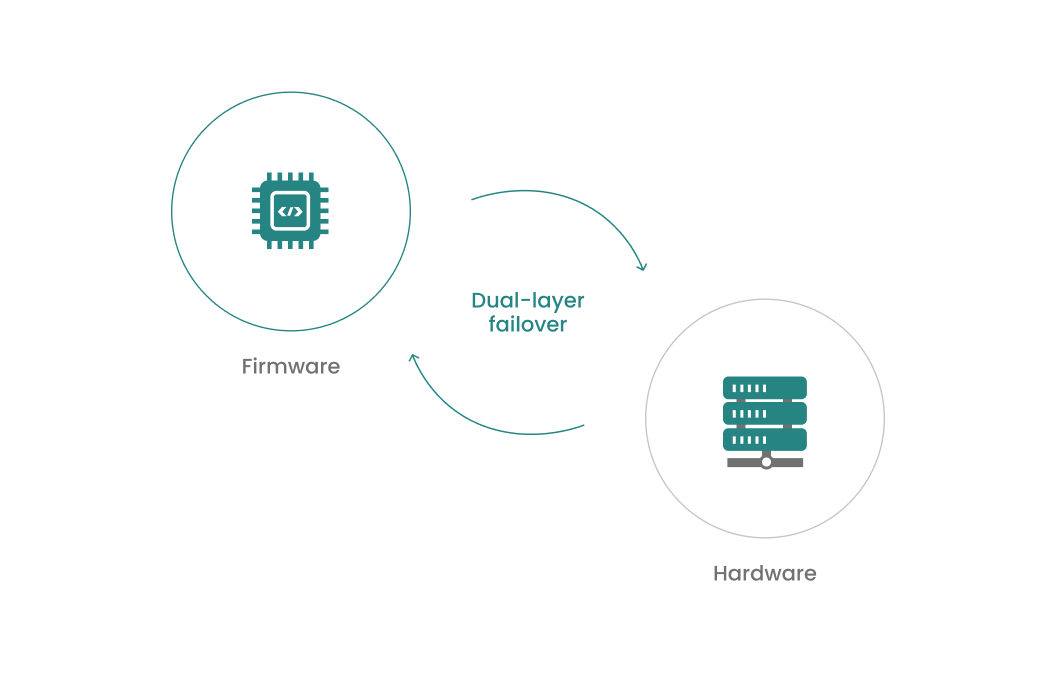
Diagram showing dual-layer failover cycle between firmware and hardware icons connected by arrows.

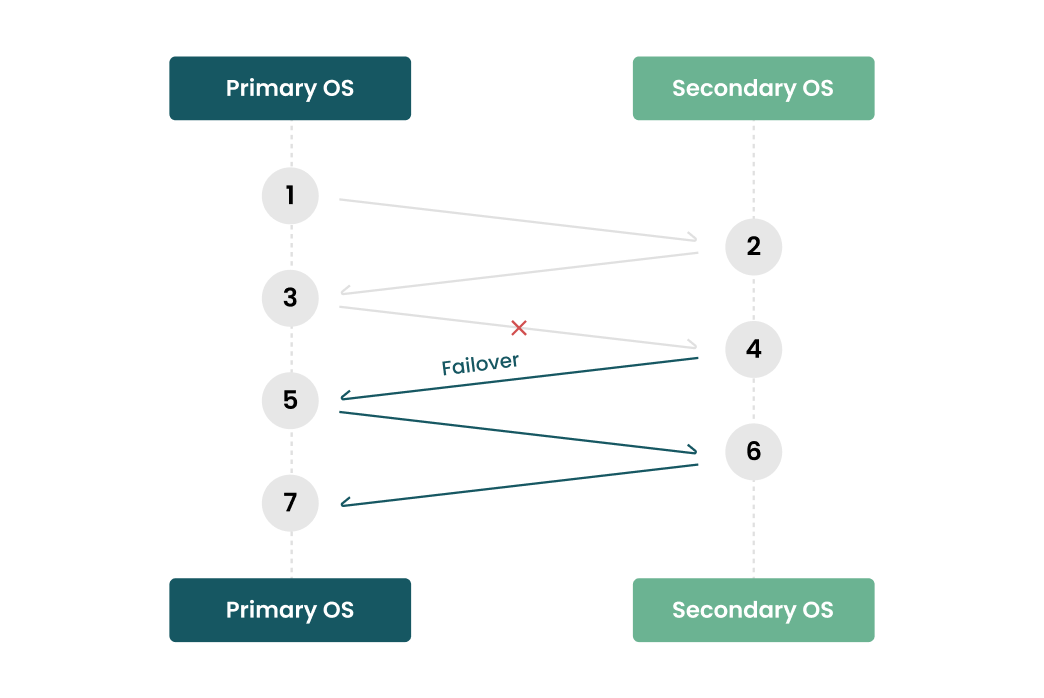
OS Round Robin

Mirror OSes
Switch Active OS Every Boot
Consistent Services and Applications between Primary and Secondary OS
Safe OS Update
Offline Update
Diagram showing failover from Primary OS steps 3 to 5 to Secondary OS with numbered steps linked by arrows.

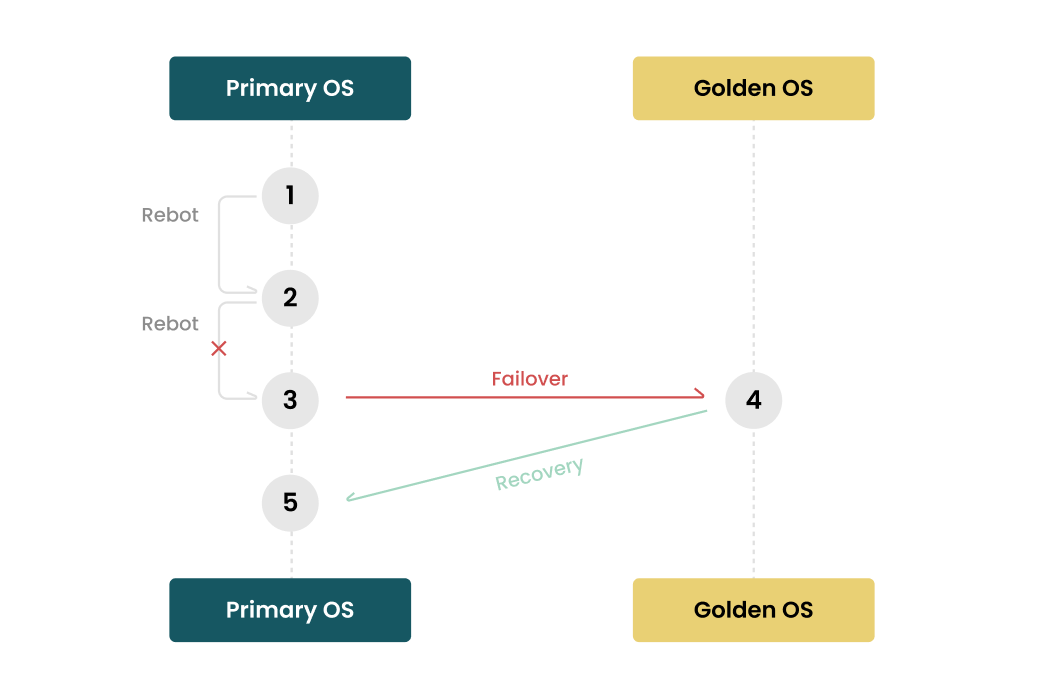
OS Recovery

To Rescue the Primary OS
Customer Implementation
Diagram showing failover from Primary OS at step 3 to Golden OS at step 4 and recovery back to Primary OS at step 5.

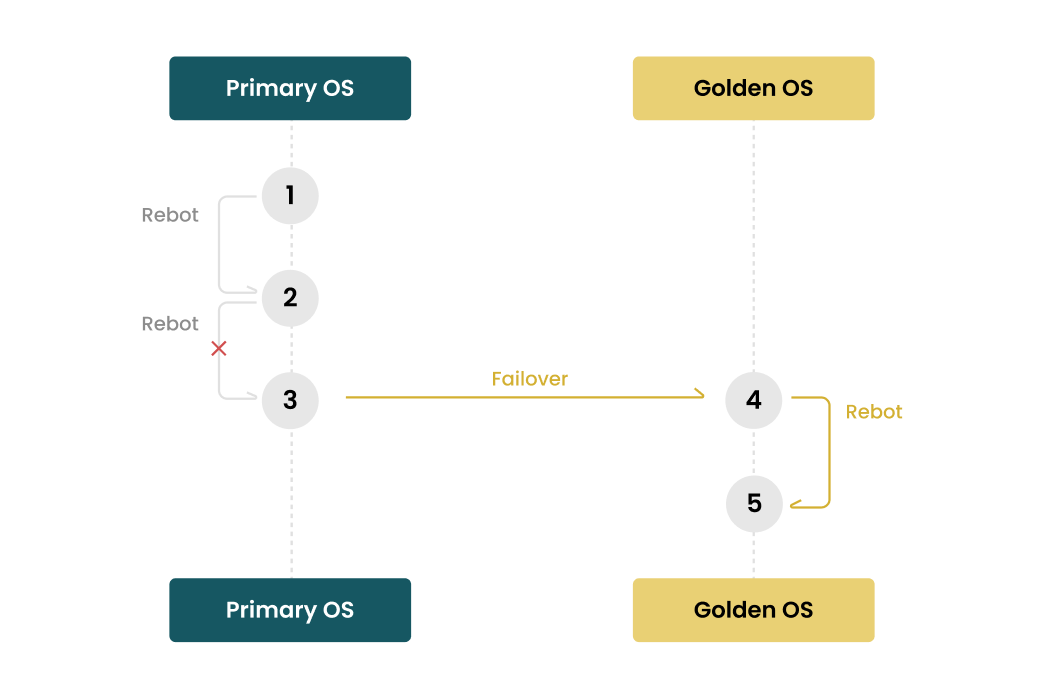
OS Failover

Primary OS for Appliance
Golden OS for Failover
Immutable OS
Flowchart showing reboot steps on Primary OS and failover to Golden OS with reboot steps after failover.

HW / SW Diagnostic

Integration with NEXDiag (Golden OS) for HW Diagnosis
To Reduce RMA Cost
Tablet with software icons, magnifying glass, tools, data servers, and cloud symbol representing IT diagnostics.
NEXLOCK logo
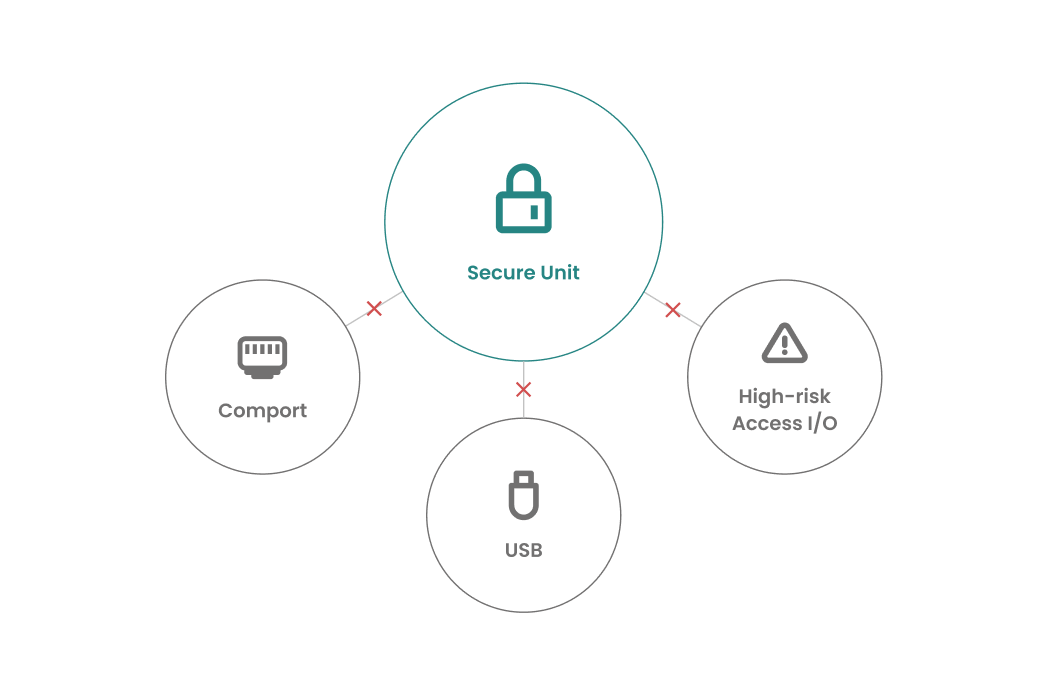
Protect Your Device from Privileged Access!
No Software Changes Needed
No Specific Hardware Required
OS Independent
Can’t Be Unlocked by Cleaning CMOS
Can’t Be Booted by Non-NEXLOCK BIOS
Diagram showing Secure Unit central with blocked connections to Comport, USB, and High-risk Access I/O.

NEXDiag

NEXDiag is NEXCOM's diagnostic tool designed to identify issues within a system. It helps determine the nature of the problem and initiates an RMA process only if a hardware issue is confirmed.
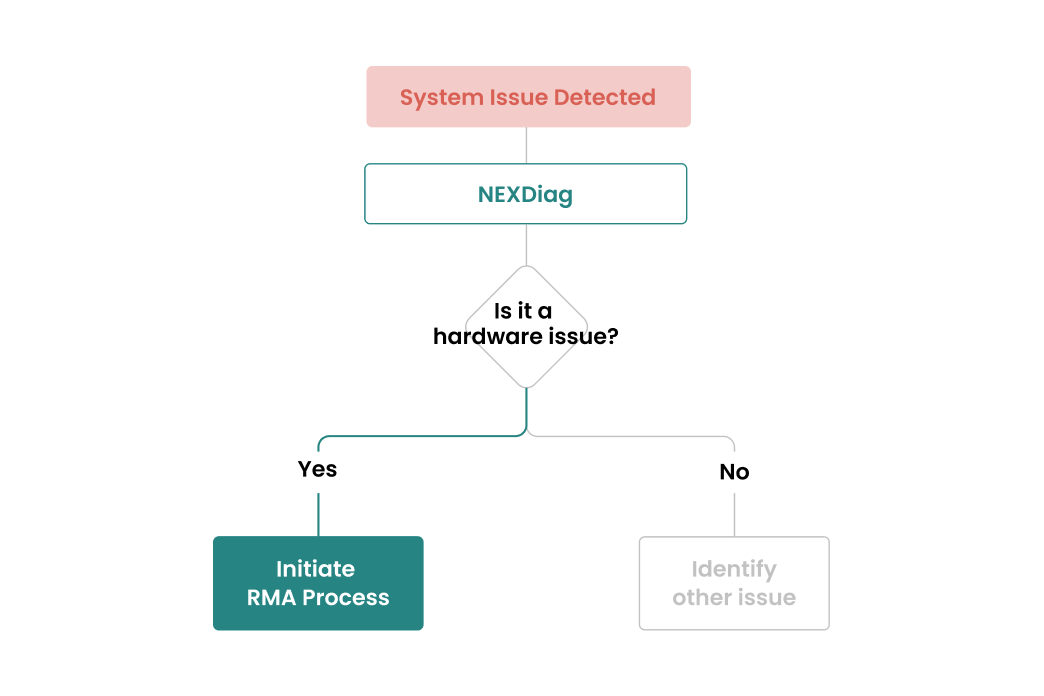
Flowchart from system issue detected to NEXDiag, then decision on hardware issue with paths Yes or No.

BYPASS

Non-volatile configs
Memorize preference settings.
Support modes
Normal, bypass, and disconnect.
Bypass mode
Establishes a backup link path to ensure service is non-stop.
Disconnect mode
Physically cuts off the link, instead of just a software-level link-down.
Learn More
Diagram showing Normal, Disconnected, and Bypass network modes for WAN/LAN with server connections.

Open BMC

The OpenBMC implemented on NEXCOM’s OpenBMC-enabled platforms provides a web management interface that can be accessed remotely for system management and monitoring. 
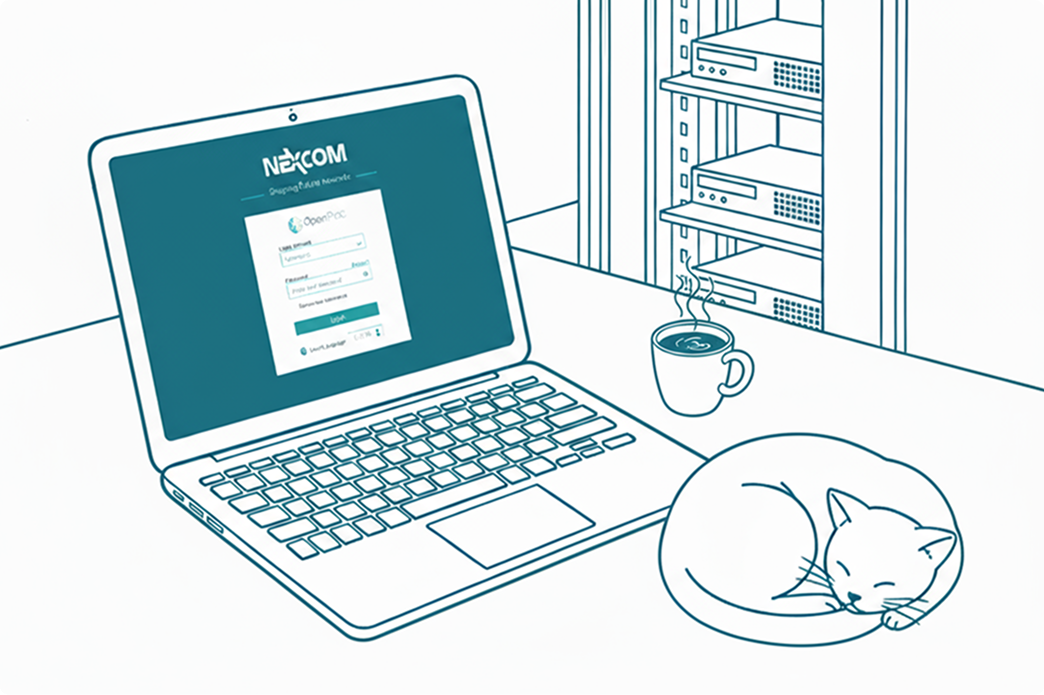
Line drawing of a laptop with Nexcom login screen, a steaming cup of coffee, a sleeping cat, and a server rack.
DevOps
DevOps Software Toolkits
Customized proprietary solutions
Integrated software, firmware, and hardware
Focus on system integration and API design
Application-oriented with standard coding practices

Switch Utility Suite

NCS Switch Utility Suite is a user-space toolset designed for managing network switch chips, providing a consistent and flexible interface to accelerate validation and development.
Benefits
Faster Validation
Shorten development cycles and enable immediate feature testing.
Flexible Integration
Compatible with various platforms and environments.
Lower Maintenance Cost
A unified interface minimizes complexity caused by chip differences.
Compact and Portable
Unlike bulky SDK packages, this suite is slim and easy to deploy, making it highly portable across different environments.
Key Features
Cross-Chip Consistency
Unified configuration format and parameter design ensure seamless switching between different switch chips, reducing learning effort.
Comprehensive Functions
Supports a wide range of switch control operations, including:
Port enable/disable
VLAN configuration
Other essential networking features
Lower Maintenance Cost
Runs entirely in user space, independent of kernel versions, eliminating compatibility

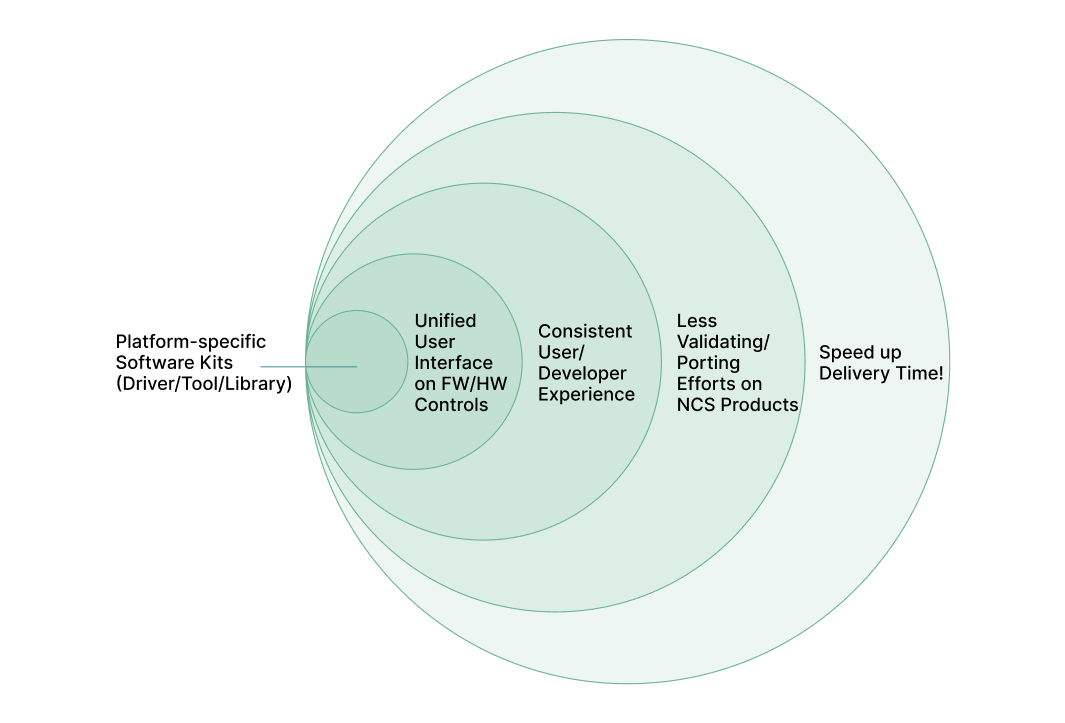
NCSDK Platform SDK

Save Your Time for Product Launching!
SDK Tool List  lists
External (For Customer Developers)
Provides a general toolset to enable clients to quickly develop applications.
Safe OS Update
Offers more in-depth tools for NEXCOM’s internal Quality Assurance and System Engineers to perform rigorous validation.
NCSDK Platform SDK graph

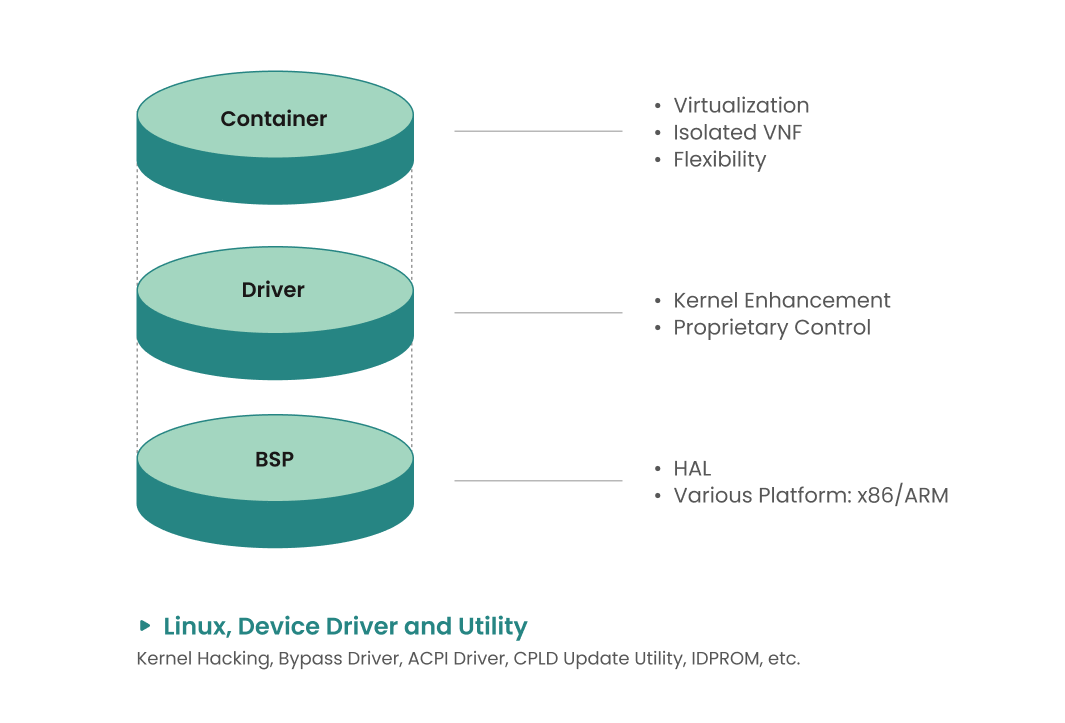
BSP

x86, ARM, peripheral components
Technical Overview
HAL (Hardeware Abstraction Layer)
Kernel driver
Bootloader
NEXCOM hardware
Virtual machine
Container
Diagram of layers: Container with virtualization; Driver with kernel control; BSP with HAL for x86/ARM platforms.
FA Support
Ensuring More Stable and Efficient Solutions
Remote Support
Customer Education and Training
Technical Consultation
Problem-Solving
Documentation
Customer Relationship Management
Person using laptop with floating icons representing technical support and 24/7 service.
Product Sustaining
Service & Maintenance

NCS provides professional software and hardware after-sales services, covering routine maintenance, issue resolution, and software upgrades to ensure your system runs stably.

Contact Us
Software After Services
SW Maintenance & Issue Report System
Software Upgrade
Issue Resolution
QM/RMA Support
Hardware After Services
Replacing obsolete components
Regulatory compliance  updates
Product life cycle management
Contact
Thank you! Your submission has been received!
Submit another form
Something went wrong while submitting the form.